
The Digital Planning Mistake Almost Everyone Makes
She found the notebook exactly where her mom said it would be. Inside were pages of neatly handwritten account names, usernames, passwords, and security questions. If organization could solve estate planning, her mother had done everything right.
Then she tried to log in.
The bank asked for a six-digit verification code sent to her mother's phone. The phone could only be unlocked with her mother's fingerprint. The email tied to several financial accounts required a recovery code that was being sent to an old email provider that no longer existed. The backup phone number? A landline that had been disconnected years ago.
The passwords worked. Everything else didn't.
That's the digital estate planning problem most families never see coming. It's not that they don't have the passwords. It's that today's security systems require far more than a password to gain access.
And it's one of the biggest planning gaps I see because almost no estate plan addresses it until a family is already locked out.
Why Passwords Alone Don't Work Anymore
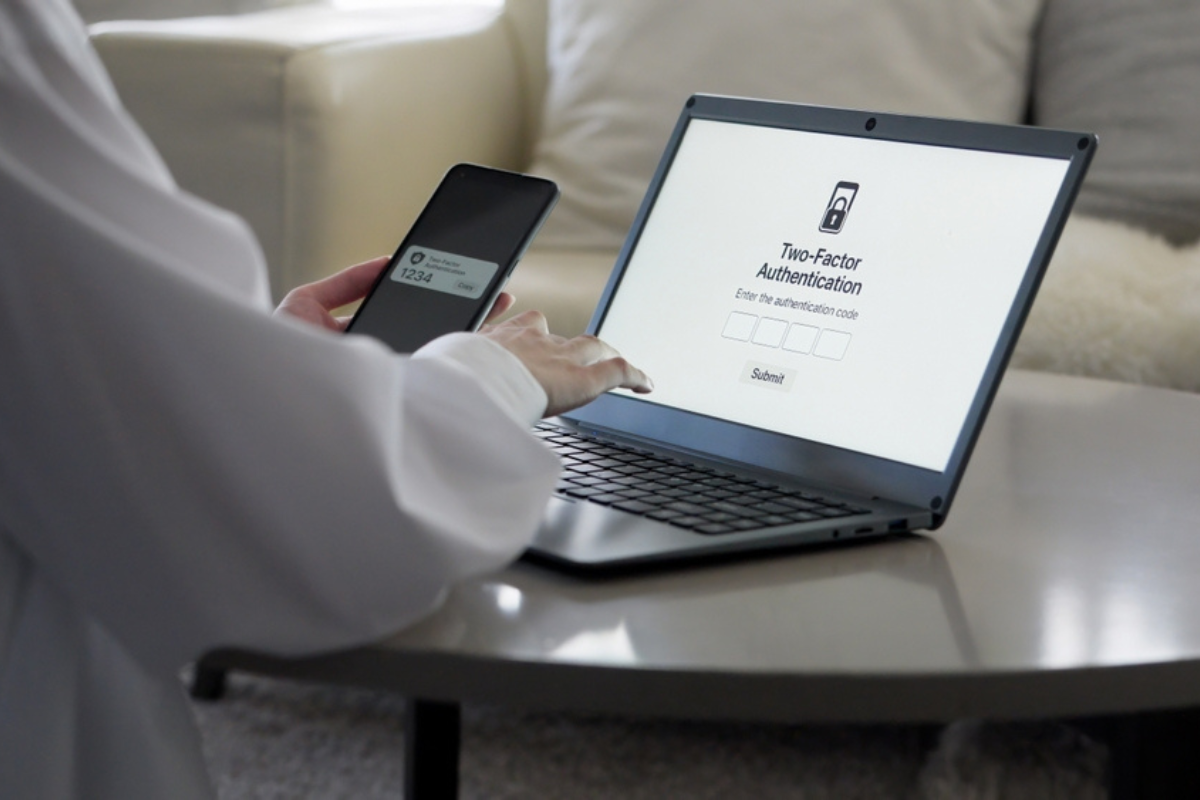
Today, logging into most online accounts takes more than a password. The password is only the first hurdle. The second is a verification code that's sent to a trusted phone, device, or email the moment someone tries to sign in.
That's called two-factor authentication (2FA), and it's now standard for banks, investment accounts, email providers, cloud storage, and just about every platform that holds sensitive information. It's an excellent tool for preventing fraud and identity theft.
It's also one of the biggest reasons families get locked out after someone dies.
The person managing the estate may have the correct username and password. But the verification code gets sent to a phone that's locked with Face ID, a cellphone that's been disconnected, or an old email account nobody can access anymore.
The password isn't the problem.
The second layer of security is.
It's also important to understand what should happen after someone dies. The goal isn't for a family member to simply log in using the deceased person's credentials. In fact, most companies prohibit that in their terms of service, and in many cases it's not the appropriate legal path. Instead, the executor, trustee, or other authorized person is expected to work through the platform's formal deceased-account process by providing a death certificate and documents establishing their legal authority.
Even then, many companies still require a verification code tied to the account before they'll grant access. If that code is sent to a locked phone or an email account that no longer exists, the authorized person can still find themselves stuck.
That's why a true digital estate plan goes far beyond creating a password list. It also addresses where verification codes are sent, who can access those devices and accounts, and how your loved ones can actually navigate the security systems protecting your digital life.
The bottom line: Two-factor authentication doesn't block access at the password, it blocks it after the password. If your digital plan stops with a list of logins, your family may still find themselves locked out when they need access the most.
When an Old Email Becomes a Big Problem
Many of the online accounts we rely on every day were opened years, sometimes decades ago. At the time, the email address and phone number attached to them made perfect sense. Today? Maybe not so much.
That old email account may have been abandoned, shut down, or replaced years ago. The phone number tied to the account may no longer exist. And the authenticator app generating verification codes may only live on one specific phone.
If that phone is lost, locked, broken, or sitting in a drawer no one can unlock, access can come to a standstill.
What most people don't realize is that every online account has its own chain of access. It's not just the password. It's the recovery email, the backup phone number, the trusted device, and sometimes an authenticator app. Break just one link in that chain, and your family may have no choice but to work through the company's recovery process, a process that can take weeks, require extensive documentation, and still may not restore access.
The bottom line: Your digital estate plan is only as strong as the contact information connected to your accounts. If your recovery emails, phone numbers, and trusted devices aren't current, your plan is already outdated. The good news? These are all problems that can be identified and fixed long before your family ever needs to deal with them.
The Accounts That Deserve Your Attention First
The digital accounts that create the biggest headaches after someone dies aren't usually the social media accounts. They're the ones your family needs right away.
Think online banks with no local branch. Investment and retirement accounts that require multiple layers of verification before anyone can access them. Email accounts that hold years of tax documents, financial statements, and the recovery links for dozens of other accounts. Cloud storage filled with legal documents, family photos, business records, and files that exist nowhere else.
Then there are digital assets that many families don't even think about: cryptocurrency, online businesses, subscription income, digital wallets, royalties, and licensing agreements. These assets can have significant financial value, but if no one knows they exist or knows how to access them, they can effectively disappear.
The bottom line: The digital assets that matter most are often financial, legal, or business-related, not personal. If your estate plan doesn't identify them and include a strategy for accessing them, it's missing a critical piece of the puzzle.
A complete plan should also include clear authority for your executor or trustee to manage your digital assets, along with secure instructions for where access information is stored. Otherwise, even someone with the legal authority to act may spend weeks or months trying to get through security barriers that could have been addressed long before they became a problem.
What a Will Won't Solve
One of the biggest mistakes I see is people putting usernames, passwords, or account information directly into their will. It seems like a smart idea. It's not.
Here's why.
Once a will is filed with the probate court, it generally becomes a public record. That means anyone can request a copy. If you've included passwords, account numbers, or other login information, you've essentially made that information public.
That's why I tell my clients: don't put access credentials in your will.
What should go in your will is clear legal authority, who is authorized to manage your digital assets and instructions for where your secure access information is stored. The passwords themselves should be kept somewhere private, secure, and updated over time.
The bottom line: Your will is designed to grant authority, not store sensitive information. Passwords belong in a secure system. Your will should simply tell the right people how to find it.
Because this isn't just about logging into an account. It's about a grieving family trying to access the bank account needed to pay funeral expenses, the mortgage, or everyday bills and discovering that having the legal authority to act doesn't automatically mean they can actually get in.
What a Real Digital Estate Plan Actually Includes
A real digital estate plan is not a password list. It's a system.
It starts with an inventory of the accounts that actually matter, financial accounts, email, cloud storage, social media, cryptocurrency, subscription income, and anything else with financial, legal, or sentimental value.
It also documents how each account is protected. Where does the two-factor authentication code go? Is it sent to a cellphone? An email address? An authenticator app? Are backup recovery codes available, and if so, where are they stored? Those details matter just as much as the password itself.
And like every other part of your estate plan, it has to stay current. If you change your phone number, switch email providers, or open a new financial account, your digital plan needs to be updated too. Otherwise, today's solution becomes tomorrow's roadblock.
Just as importantly, your plan needs to give the right person the legal authority to act. In many states, laws governing digital assets determine what an executor, trustee, or other fiduciary can access after your death. Without the proper language in your will or trust, the person you've chosen to settle your estate may not have the authority they need to access, manage, transfer, or close your digital accounts.
Even with that authority, every institution has its own process. Banks, brokerage firms, cloud storage providers, email platforms, and cryptocurrency exchanges all have different documentation requirements and procedures. A good digital estate plan anticipates those differences instead of leaving your family to figure them out under pressure.
The bottom line: A real digital estate plan isn't a list of usernames and passwords. It's an organized, up-to-date system that combines secure access information with the legal authority your loved ones will need to manage your digital life when you no longer can.
Take Control Before It's Too Late
Start with a digital inventory. Make a list of your important accounts, banking, investments, email, cloud storage, business platforms, and anywhere else that holds financial, legal, or personal information. For each one, note where the two-factor authentication code is sent: a cellphone, an email address, or an authenticator app. That's the real key to access, and for most families, it's never been documented.
Next, review the recovery information on your email accounts. You'd be surprised how many people still have an old phone number or an email address they haven't used in years tied to their primary account. If those recovery methods are outdated, they can become the very thing that locks your family out when they need access most.
Then generate backup recovery codes. Most platforms that use two-factor authentication allow you to create one-time backup codes. Print them, store them somewhere secure, and make sure the person who will be managing your estate knows where to find them.
If you're reading this and thinking, "This sounds like a lot," you're right. That's exactly why digital estate planning has become part of every Estate Plan I create. I've seen too many families spend the hardest week of their lives trying to unlock one account after another because no one knew where to start.
Every family's digital life is different. That's why I take the time to understand yours, your accounts, your devices, your recovery methods, and the people who will need access so the plan we build actually works when your family needs it most.
Schedule a complimentary 15-minute discovery call, and let's find out where you stand: https://pages.20westlegal.com/schedule/15-minute-intro-call
This article is a service of 20West Legal, a Personal Family Lawyer® Firm. We don’t just draft documents; we ensure you make informed and empowered decisions about life and death, for yourself and the people you love. That's why we offer an Estate Planning Session, during which you will get more financially organized than you’ve ever been before and make all the best choices for the people you love. You can begin by calling our office today to schedule an Estate Planning Session.
The content is sourced from Personal Family Lawyer® for use by Personal Family Lawyer firms, a source believed to be providing accurate information. This material was created for educational and informational purposes only and is not intended as ERISA, tax, legal, or investment advice. If you are seeking legal advice specific to your needs, such advice services must be obtained on your own, separate from this educational material.
© 2026 20West Legal